
Audit Chrome Extension Permissions in Manifest V3
Review Chrome extension permissions and Manifest V3 declarations before installing. See how host access and APIs inform a review without proving safety.
To audit a Chrome extension's security before installing, inspect its manifest.json permissions using Extension X-Ray. Focus on high-risk APIs such as <all_urls>, declarativeNetRequest, cookies, and webRequest. These permissions grant extensions access to sensitive browsing data and network requests, making pre-installation code and endpoint review critical for enterprise and personal privacy.
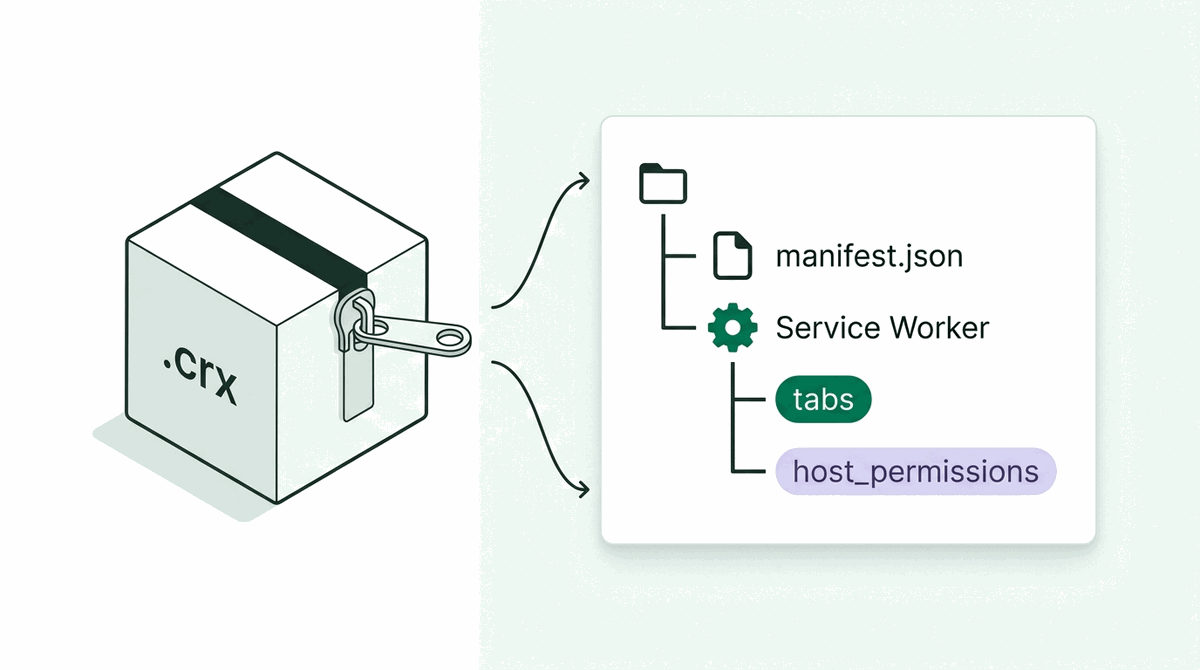
1. The Chrome Extension Threat Model: Why Pre-Install Auditing Matters
Browser extensions run inside your privileged browsing environment with direct access to web pages, authentication tokens, cookies, and network communication. While the Google Chrome Web Store employs automated scans, automated review cannot catch sophisticated obfuscated code, dynamically loaded remote instructions, or sudden developer account takeovers.
When you click Add to Chrome, you grant the extension persistent background access. Auditing permissions and reviewing the underlying JavaScript source code before installation is the most effective defense against credential harvesting and malicious telemetry.
The Account Takeover Risk
Legitimate extensions with thousands of users are frequently bought by malicious advertising brokers who push stealthy updates to collect user browsing habits. Pre-install inspection verifies what code is actually running.
2. The Manifest V3 Permission Risk Radar: High, Medium, and Low Risk APIs
In Manifest V3, permissions are categorized by the scope of data they can intercept. When reviewing an extension manifest.json, evaluate requested permissions against the extension stated utility:
| Review area | Example group A | Example group B | Example group C |
|---|---|---|---|
| High-Risk APIs | <all_urls>, *://*/* | cookies, webRequest | debugger, management |
| Medium-Risk APIs | storage, tabs | activeTab, scripting | declarativeNetRequest |
| Low-Risk APIs | alarms, contextMenus | notifications | offscreen, idle |
| Security Impact | Inspects all web page text | Captures auth session tokens | Executes administrative controls |
3. Step-by-Step: Auditing Extension Source Code with Extension X-Ray
Extension X-Ray unpacks and analyzes extension CRX packages safely in memory without executing their background scripts:
- Step 1: Navigate to any extension listing page on the official Chrome Web Store.
- Step 2: Click the Extension X-Ray button to load the extension package into the inspection workspace.
- Step 3: Review the Permission Risk Radar. X-Ray highlights broad host permissions and flags sensitive API requests in amber or red.
- Step 4: Inspect the File Tree to browse background service workers, manifest.json, and injected content scripts.
- Step 5: Review the Endpoints tab to see every hardcoded URL and API endpoint declared in the extension code.
- Step 6: Click Export Source ZIP to download the full unpacked codebase for offline static analysis.
4. Understanding Static Inspection vs Runtime Execution
Static code analysis examines package files without intentionally running the inspected extension. It reduces one exposure path but does not certify the inspector, package or browser as completely safe.
Evaluating whether declared permissions match the extension actual functionality is the golden rule of browser extension security.
5. Enterprise Extension Governance and Policy Management
For corporate IT security teams, maintaining an extension allowlist using Google Workspace or Chrome Enterprise policies is critical. Extension X-Ray enables security officers to audit extension updates, verify vendor claims, and approve vetted extensions before enterprise-wide deployment.
Product scope and further reading
Editorial methodology: Written and maintained by Elnavix Labs from inspected Chrome extension package behavior, media container specifications, and official platform documentation. Visual figures are AI-generated conceptual diagrams; always check the official product listing for current release scope.
Audit Any Chrome Extension in 1-Click with X-Ray
Inspect manifest permissions, examine source code, and verify extension security before installing from the Chrome Web Store.
Add Extension X-Ray to Chrome (Free) →Official Chrome Web Store developer utility by Elnavix Labs. Static code and permission inspector.Frequently Asked Questions
Can a malicious Chrome extension steal my passwords and cookies?
Yes. If an extension requests the cookies permission or host permissions like <all_urls>, it can read session cookies, inspect form fields, and exfiltrate credentials unless restricted.
What is the most dangerous permission an extension can request?
Broad host permissions such as <all_urls> or *://*/* combined with scripting or declarativeNetRequest are the most sensitive, as they grant complete read and write access across all websites.
How does Manifest V3 improve extension security compared to V2?
Manifest V3 eliminates remotely hosted code execution, requiring all extension code to be packaged inside the CRX bundle and subject to static review. It also replaces blocking webRequest with rule-based declarativeNetRequest.
Does Extension X-Ray execute the extension code during the audit?
X-Ray is intended for static package inspection without running the inspected extension. This does not certify the package, inspector or browser as safe.
How can developers inspect their own unpacked extension before publishing?
Developers can drag and drop local unpacked extension folders or ZIP archives directly into Extension X-Ray to audit permissions and verify file bundles before submitting to the Chrome Web Store.