
Download Bilibili Anime & Donghua with Subtitles
Check Bilibili anime and donghua downloads, source quality and available captions. Account access, region and creator permissions can limit what you save.
To download trending Bilibili anime and donghua with English subtitles, use BiliFlow to extract both the high-resolution DASH video stream and the synchronized closed caption (CC) subtitle file. Bilibili features major blockbuster donghua such as Link Click, Heaven Official’s Blessing, and Renegade Immortal with multi-language captions that BiliFlow bundles into clean .SRT files and synchronized MP4 video containers.
1. The Global Explosion of Bilibili Donghua: Link Click, Heaven Official’s Blessing, and Xian Ni
Over the past two years, Bilibili has emerged as the premier global production powerhouse for original animation (Donghua). Modern blockbuster series such as Link Click (Shiguang Dailiren), Heaven Official’s Blessing (Tian Guan Ci Fu), Renegade Immortal (Xian Ni), and A Record of Mortal’s Journey to Immortality attract millions of international viewers seeking top-tier 2D and 3D storytelling.
However, watching these series outside mainland China often involves buffering, geoblocking, or disappearing closed captions. Archiving episodes locally with synchronized English subtitles ensures an uninterrupted, permanent viewing experience on any media device with BiliFlow for Chrome.
Official CC vs Fan Translation Subtitles
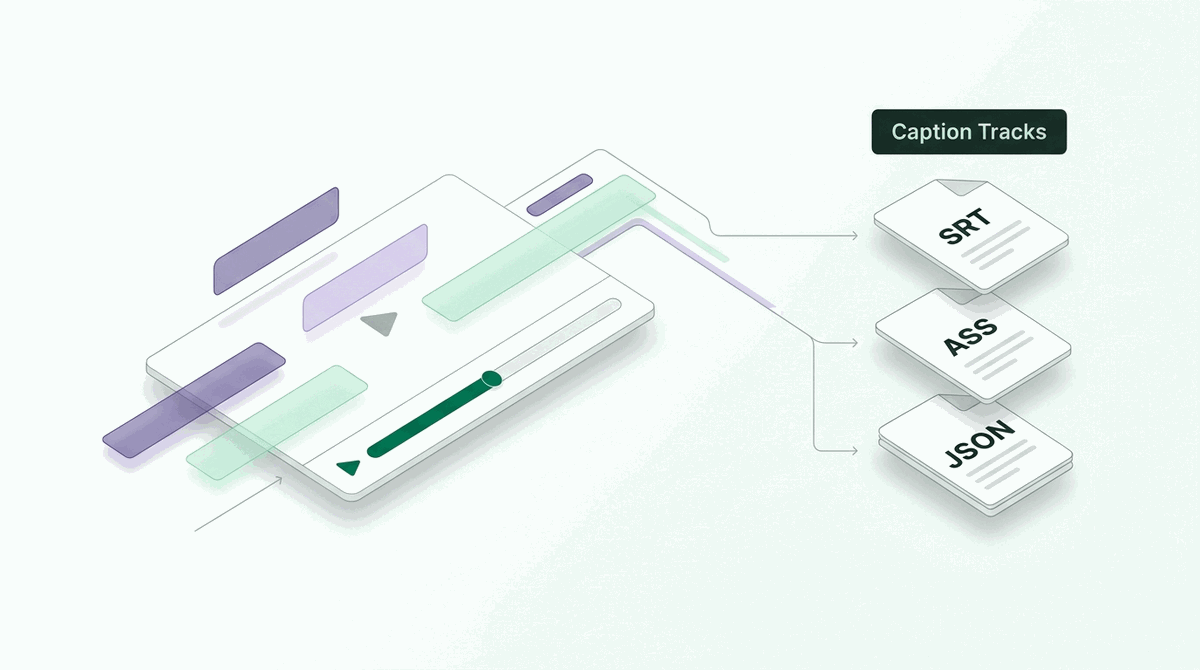
Major donghua releases on Bilibili include official multi-language CC tracks. BiliFlow extracts these pristine digital tracks directly into .SRT format rather than relying on lossy optical character recognition (OCR).
2. Synchronizing 1080p Video, Lossless Audio, and English CC Subtitles
Because Bilibili separates video, audio, and subtitle streams on distinct CDNs, traditional screen recording or generic converters capture low bitrates or drop subtitles entirely. Achieving a studio-grade offline copy requires fetching the native 1080p video stream, the 320kbps audio track, and the JSON-encoded CC subtitle track simultaneously.
By utilizing BiliFlow, international viewers can download the video container and export matching .SRT subtitles in one unified click.
3. Step-by-Step: Downloading a Donghua Episode with Subtitles
Follow these simple steps to download any donghua episode with synchronized captions:
- Step 1: Open the desired anime or donghua episode on Bilibili in Google Chrome.
- Step 2: Confirm that CC subtitles are enabled and choose English or your preferred language in the Bilibili player.
- Step 3: Click the BiliFlow extension in your toolbar. BiliFlow automatically detects the high-definition video, audio, and subtitle streams.
- Step 4: Under the Subtitles tab, check Download Subtitles (.SRT).
- Step 5: Select 1080p or 4K resolution and click Download. The synchronized video and subtitle files save directly to your computer.
4. Why Serious Anime Fans Archive Bilibili Shows Locally
Licensing agreements change frequently, causing international distributor libraries to rotate or delete older seasons without warning. Hardcore anime fans and Donghua communities build local home media libraries (using Plex, Jellyfin, or Kodi) to safeguard their favorite series in original broadcast quality.
Product scope and further reading
Editorial methodology: Written and maintained by Elnavix Labs from inspected Chrome extension package behavior, media container specifications, and official platform documentation. Visual figures are AI-generated conceptual diagrams; always check the official product listing for current release scope.
Download Trending Bilibili Donghua with BiliFlow
Save your favorite Chinese animation with crisp 1080p video and synchronized English subtitles in 1-click.
Add BiliFlow to Chrome (Free) →Official Chrome Web Store extension by Elnavix Labs. Supports video, audio, and subtitle extraction.Frequently Asked Questions
Can I download Link Click or Heaven Official’s Blessing in 1080p with English subtitles?
Yes. BiliFlow extracts the official 1080p video stream and the digital English CC subtitle stream directly from Bilibili, providing clean files ready for offline viewing.
Will downloaded subtitles work on VLC Media Player?
Yes. BiliFlow exports standard .SRT subtitle files. Simply keep the video and .SRT file in the same folder with matching names, and VLC loads the subtitles automatically.
Do I need a Bilibili VIP account to download 1080p donghua episodes?
Newly released VIP-exclusive episodes require an active Bilibili VIP login in your browser. BiliFlow uses your existing browser session to access the highest resolution your account permits.
How do I save episodes from a 12-episode anime or donghua season?
Open each permitted episode watch page (?p=1, ?p=2, etc.) in Chrome and export them individually with BiliFlow. Multi-page playlist batch queueing remains under local development review and is not established as a live Chrome Web Store release feature.