
Download Bilibili Subtitles as SRT or ASS Captions
Understand Bilibili captions, SRT/VTT export, ASS styling and danmaku. Check which subtitle tracks can be saved and why burned-in text needs other tools.
Use an available digital caption track to export supported SRT or VTT subtitles with BiliFlow. Burned-in text and danmaku are different from caption tracks. ASS is a separate styled format; direct ASS export is not established for the current published BiliFlow.
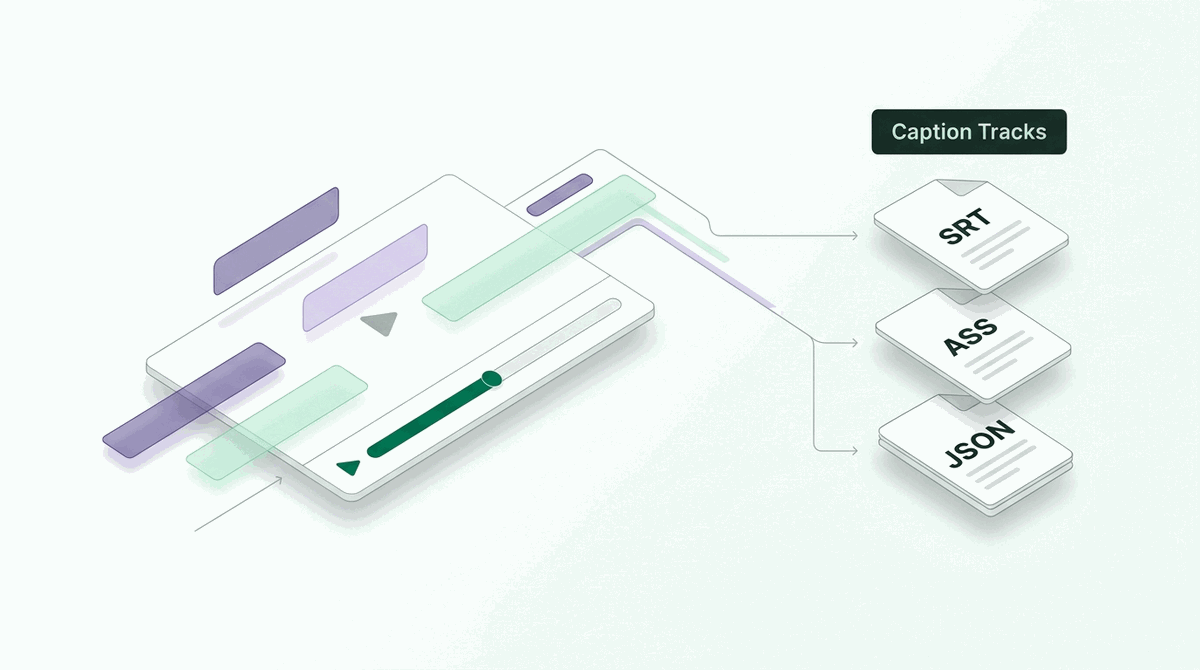
1. How Bilibili Stores Subtitles: Closed Captions (CC) vs Hardcoded Text vs Danmaku
On Bilibili, subtitles exist in three fundamentally different forms across the platform: creator-uploaded Closed Captions (CC), hardcoded burned-in subtitles, and floating bullet comments known as danmaku.
Closed Captions (CC) are stored independently from the video file as structured JSON data containing exact millisecond timestamps and text strings. Unlike hardcoded subtitles which are permanently baked into video frames and cannot be translated or edited, CC subtitles can be extracted cleanly into standard subtitle files (.SRT or .ASS) with zero optical distortion.
Danmaku comments are scrolling real-time audience reactions stored as XML streams. While humorous and engaging, standard media players do not support danmaku unless they are specifically converted into positioned subtitle formats like Advanced SubStation Alpha (.ASS).
Save Only the Caption Track When That Is All You Need
Caption text is usually smaller than the corresponding full video, but transfer size and export time vary. Save an accessible digital track and check its language, text and timing.
2. Choosing the Right Subtitle Format: SRT vs ASS vs VTT
Selecting the right subtitle format depends on your playback device and styling preferences:
SRT (SubRip) is a widely supported plain-text subtitle format. Check your target player or editor rather than assuming every device supports it.
ASS (Advanced SubStation Alpha): The format of choice for anime communities. Supports rich typography, custom fonts, color styling, and precise on-screen positioning.
VTT (WebVTT): Standard HTML5 web caption format, ideal for web developers embedding subtitles in custom browser video players.
3. Step-by-Step: Extracting Bilibili Subtitles with BiliFlow
BiliFlow can export supported accessible digital caption tracks. Missing, restricted or burned-in subtitles require a different workflow; check the selected track.
- Step 1: Open your desired anime episode, donghua series, documentary, or tutorial video on Bilibili.
- Step 2: Ensure the CC button is visible in the Bilibili web player indicating closed captions are available.
- Step 3: Open BiliFlow from your Chrome browser toolbar and click the Subtitles tab.
- Step 4: Select an available language track; automatic bilingual captions may not exist for the video.
- Step 5: Choose a supported SRT or VTT export and save it. Check the text and timing in your player.
- Step 6: Open your downloaded video in VLC Media Player, drag and drop the .SRT file into the player window, and enjoy synchronized subtitles.
4. Subtitle Tool Comparison: BiliFlow vs yt-dlp vs Web Scrapers
Evaluating subtitle extraction methods for speed, accuracy, and ease of use:
| Topic | BiliFlow | yt-dlp (CLI) | Web tools |
|---|---|---|---|
| Extraction Speed | Instant (1-Click in browser) | Fast (Terminal command needed) | Slow (Ad-heavy web queues) |
| Format Export | Supported SRT/VTT export; direct ASS export unverified | SRT, VTT, or raw JSON | Plain TXT or unformatted SRT |
| Member / VIP Subtitles | Accesses authenticated session | Requires browser cookies flag | Fails on login-required tracks |
| Security & Ad Risk | Zero ads, local browser parsing | Zero ads, local CLI tool | Frequent redirect ads and popups |
5. Troubleshooting Common Bilibili Subtitle Issues
Missing Subtitles: If BiliFlow reports no subtitles found, the creator has not uploaded closed caption tracks. Check if the video has hardcoded burned-in subtitles in the video footage itself.
Bilingual caption layout varies by track and player. SRT/VTT export does not preserve every ASS styling feature; check the result rather than assuming perfect separation.
Product scope and further reading
Editorial methodology: Written and maintained by Elnavix Labs from inspected Chrome extension package behavior, media container specifications, and official platform documentation. Visual figures are AI-generated conceptual diagrams; always check the official product listing for current release scope.
Extract Bilibili Subtitles Instantly with BiliFlow
Export available supported SRT/VTT caption tracks from permitted Bilibili videos. Source access and caption availability apply.
Add BiliFlow to Chrome (Free) →Official Chrome Web Store extension by Elnavix Labs. Supports video, audio, and subtitle extraction.Frequently Asked Questions
Can I download Bilibili subtitles without downloading the full video?
Where an accessible digital caption track exists, BiliFlow can export supported SRT/VTT without saving the full video. Availability and timing vary.
What is the difference between Bilibili CC subtitles and Danmaku?
CC subtitles are static dialogue captions synchronized to speaker voices. Danmaku are real-time user comments that scroll horizontally across the screen.
Can BiliFlow extract AI-generated bilingual subtitles on Bilibili?
Yes. When Bilibili generates automatic AI speech-to-text or bilingual captions, BiliFlow detects the AI subtitle stream and exports it as an editable .SRT file.
Why are subtitles missing on some older Bilibili videos?
Older Bilibili videos often have subtitles burned directly into the video frames rather than stored as digital CC tracks. Only digital CC tracks can be extracted as .SRT.
Which video player works best with downloaded .SRT and .ASS files?
VLC Media Player, MPV, and PotPlayer offer the best compatibility. Simply name your .SRT file identically to your video file in the same folder for automatic loading.