
Automated Clip Extraction for High-Retention Shorts
See transcript-based clip selection, captions and editing for TikTok and Reels. Check context and readability without assuming viral reach or fixed retention.
Automated clip extraction scores long-form transcripts and audio curves to surface self-contained 20-to-60-second segments, aligns cuts to clean sentence boundaries, and pairs readable captions for mobile viewing. Editors must still inspect factual context, rights, and pacing because automated scores cannot guarantee retention or viral reach.
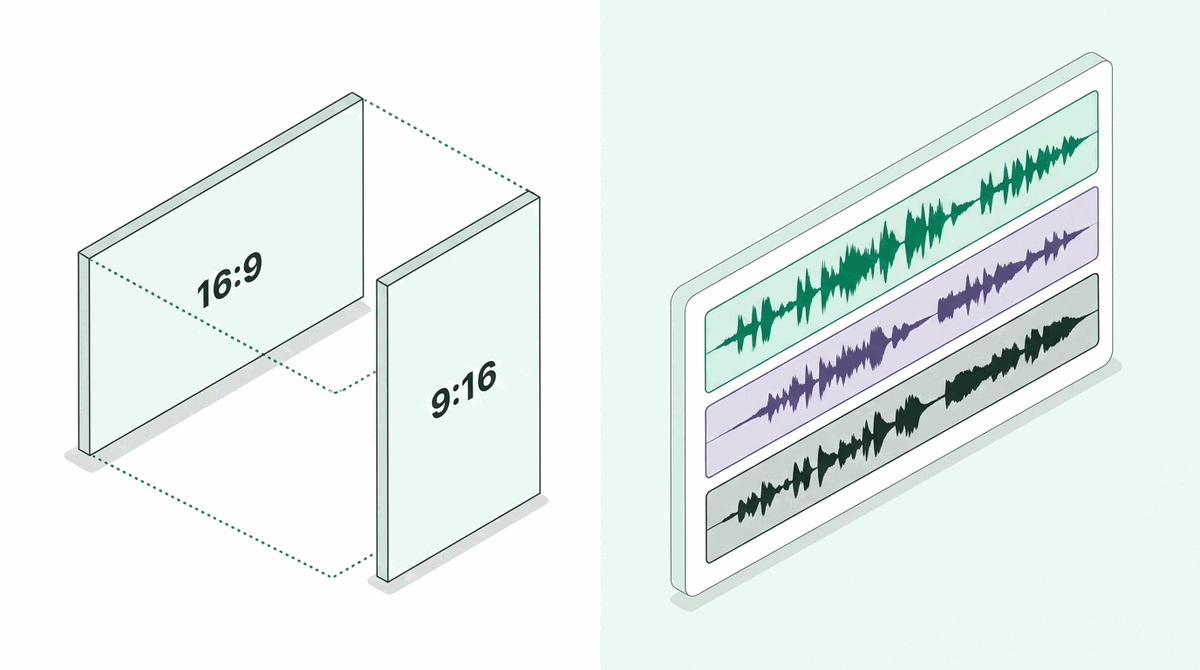
1. How Multimodal Highlight Detection Scores Long Videos
Finding usable short clips inside a two-hour podcast or livestream manually requires scrubbing dozens of minutes of banter. Transcript-first clipping workflows combine word-timestamped transcripts, speaker turn analysis, and audio amplitude peaks to rank self-contained topic discussions for rapid human review.
Language models can flag moments where a speaker answers a clear question, defines a common misconception, or tells a bounded story. However, automated highlight tools remain candidate-discovery aids: ReelCuts is an Elnavix concept exploring reference-guided workflows, not a released turnkey highlight service.
2. Sentence Boundary Alignment vs Fixed-Window Slicing
Naive time-slicing tools cut every thirty seconds mechanically, slicing mid-clause and leaving viewers confused without antecedent nouns. Effective clip extraction maps segment start and end markers to full grammatical boundaries verified against audio waveforms so breaths and trailing consonants stay intact.
Equally important is context integrity: removing surrounding caveats or ironic setup can invert a speaker’s real meaning, creating misleading out-of-context quotes that harm creator trust.
- Generate an accurate timestamped transcript with speaker labels across the long-form source file.
- Filter candidate segments where the core premise, explanation, and takeaway appear within a self-contained passage.
- Adjust in-point and out-point trims manually on acoustic waveforms so first-word audio starts cleanly without abrupt truncation.
- Verify corrected captions, contrast ratios, and mobile UI safe zones before publishing.
3. Structuring Cold Opens, Context Resets, and Captions
Long podcasts frequently open a brilliant point with vague pronouns ("Wait—that completely broke everything..."). Trimming two seconds backward or inserting a brief readable context card clarifies who and what the clip discusses within the opening three seconds.
Readable, accurately spelled captions help viewers following videos muted in public or using assistive viewing workflows. Avoid oversized rapid single-word flashes that obscure faces or fail contrast accessibility checks, and test readability on an actual mobile display before publishing a batch of clips across Shorts or Reels.
4. Comparison: Candidate Discovery Approaches for Editors
Compare human producer logging, automated transcript-first candidate ranking, and blind auto-posting across editorial control, pacing accuracy, and brand risk.
| Extraction Approach | Human Producer Log | AI Transcript Draft + Edit | Unreviewed Auto-Slice |
|---|---|---|---|
| Context & Accuracy Check | Editor watches full exchange and verifies intent | Transcript triage cuts review time; human trims finals | High risk of out-of-context clips and typos |
| Sentence & Breath Trims | Clean waveform cuts on natural pauses | Timestamp-aligned boundaries polished manually | Often clips mid-word or ends abruptly |
| Caption Reliability | Proofread jargon, brands, and technical terms | Needs manual correction for domain vocabulary | Frequent misheard proper nouns |
| Outcome Predictability | Consistent brand voice; no viral guarantee | Balanced throughput; measure real audience stats | Low editorial consistency |
Product scope and further reading
Editorial methodology: Written and maintained by Elnavix Labs from inspected Chrome extension package behavior, media container specifications, and official platform documentation. Visual figures are AI-generated conceptual diagrams; always check the official product listing for current release scope.
ReelCuts is a concept in development. General workflow explanations here are not proof of released capabilities.
Accelerate Your Video Production with ReelCuts
Explore the ReelCuts concept in development. Automated highlights and smart reframing remain prospective workflows, not a released product or viral-reach guarantee.
Explore the ReelCuts Concept →Concept preview in active development by Elnavix Labs.Frequently Asked Questions
Why are captions so important on short vertical clips?
Accurate, high-contrast captions improve accessibility and let muted mobile viewers follow spoken ideas easily. Always proofread technical terms and brand names rather than trusting raw ASR text.
How long should a repurposed short-form clip be?
There is no single optimal length across every topic. Cut cleanly when the self-contained explanation and payoff conclude while respecting current platform length caps, and track audience completion in your own analytics.
What is the biggest risk of blindly auto-posting AI-extracted clips?
Unreviewed clips frequently clip mid-thought, strip essential context or disclaimers, misspell specialist terms in burned-in captions, or frame off-center faces poorly.
Can I download and run ReelCuts today?
No. ReelCuts remains an Elnavix Labs concept preview in development; current released products are listed at /products/.