
Convert 16:9 Videos to 9:16 Vertical Shorts with AI
Turn landscape footage into vertical shorts with framing, subject tracking and manual review. See where automated crops help and why each clip needs checking.
Converting 16:9 horizontal video to 9:16 vertical clips cleanly requires matching aspect-ratio math (cropping width or adapting layout), active speaker tracking with camera-pan hysteresis, split-screen fallback for multi-person debates or gameplay HUDs, and strict caption safe-zone margins so platform UI icons never cover subtitles.
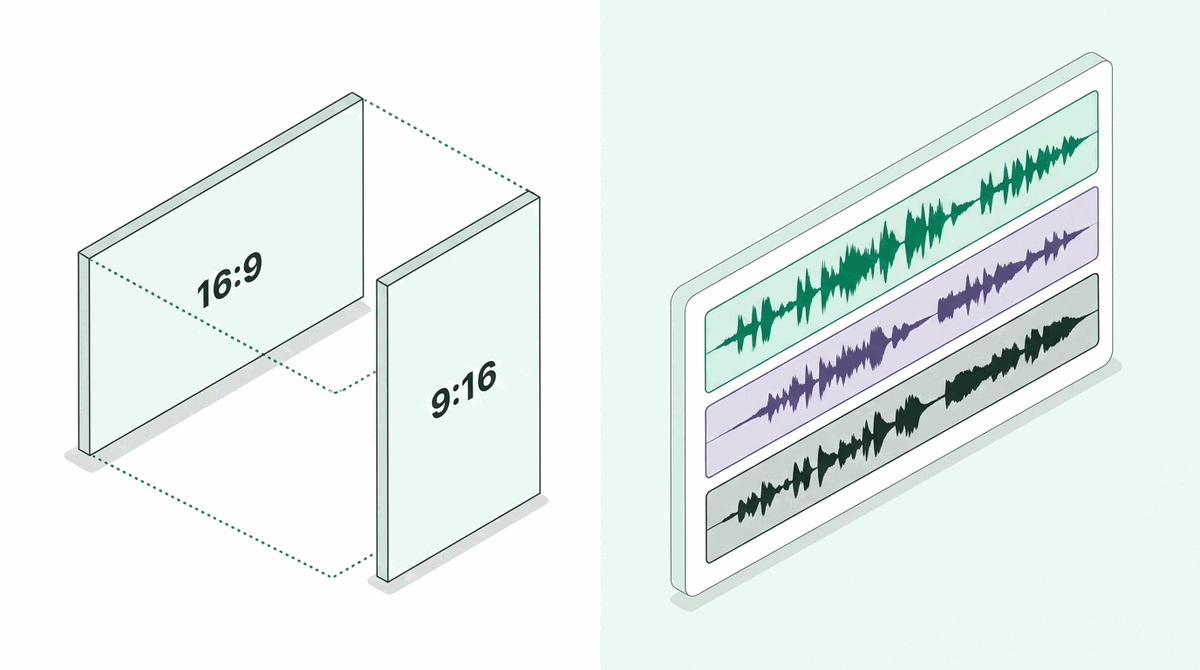
1. The Geometry of 16:9 to 9:16 Reframing
A standard 1920x1080 landscape frame holds a 16:9 aspect ratio, whereas vertical feeds render at 1080x1920 (9:16). Simply center-cropping a 16:9 video vertically discards roughly two-thirds of the horizontal scene width—frequently chopping off whiteboards, co-hosts, slides, or gameplay HUD overlays.
Resolution math matters too: center-cropping a 1080p landscape frame yields only a 607x1080 window before upscaling, whereas shooting or mastering source timelines in higher horizontal resolution preserves sharper detail after vertical extraction. Editors should treat automated reframing as an initial timeline draft rather than uninspected final output; ReelCuts remains an Elnavix concept in development.
Beware the Static Center Crop Trap
Whenever two speakers sit on opposite sides of a podcast desk or a host stands off-center beside slides, a static center crop frames the empty wall between them. Active speaker switching or split-screen layouts solve this cleanly.
2. Saliency Detection, Active Speaker Tracking, and Hysteresis
Smart camera reframing combines visual face or pose detection with speaker diarization and energy localization to decide where the active 9:16 window should center. Crucially, good tracking applies motion smoothing and hysteresis so micro-gestures or rapid back-and-forth laughs do not trigger nauseating camera jitter.
When speakers alternate clearly, hard virtual cuts between Host A and Host B feel much cleaner—like a live multicam broadcast switcher—than dizzying continuous pans across a wide studio shot.
3. When to Use Split-Screen Layouts Instead of Single-Crop
Certain landscape genres simply cannot fit inside one vertical slice without losing critical visual context:
- Podcasts and reaction debates: Stack Host A above Host B (or wide frame above close-up) when facial reactions to an argument matter simultaneously.
- Software demos and coding tutorials: Pair a cropped upper speaker inset or picture-in-picture above the zoomed screen region so text remains readable.
- Gaming highlights: Place zoomed webcam commentary cleanly above or below the primary gameplay action window rather than hiding kill-feed or minimap context.
- Verify legibility on a physical phone screen at arm’s length before exporting batch vertical cuts.
4. Platform UI Safe Zones for Shorts, Reels, and TikTok
Compare vertical formatting choices across static crops, automated reframing tools, and custom editor templates before publishing across short-form feeds.
| Reframing Method | Manual Keyframe Edit | AI Active Reframe Draft | Static Center Crop |
|---|---|---|---|
| Multi-Speaker Handling | Exact director-chosen cuts and split screens | Automates primary cuts; requires human edge review | Cuts off side speakers and slides |
| Screen & Slide Readability | Custom zoomed regions with legible callouts | May drift toward faces instead of key UI charts | Clips left/right screen content unpredictably |
| Caption Safe-Zone Margins | Placed strictly above bottom description & right buttons | Must be calibrated against UI overlays per app | Unadjusted crops frequently cover faces |
| Setup & Verification | Slower per clip in Premiere or DaVinci Resolve | Faster timeline draft; still needs QC watch-through | Fastest batch script, lowest visual quality |
Product scope and further reading
Editorial methodology: Written and maintained by Elnavix Labs from inspected Chrome extension package behavior, media container specifications, and official platform documentation. Visual figures are AI-generated conceptual diagrams; always check the official product listing for current release scope.
ReelCuts is a concept in development. General workflow explanations here are not proof of released capabilities.
Explore ReelCuts by Elnavix Labs
Learn about the ReelCuts concept in development alongside Elnavix Labs’ released browser tools.
Learn About ReelCuts →Concept preview in active development by Elnavix Labs.Frequently Asked Questions
What resolution and aspect ratio are standard for YouTube Shorts, Reels, and TikTok?
Standard vertical delivery uses a 9:16 aspect ratio at 1080x1920 pixels, keeping key faces and captions away from top banners, bottom title descriptions, and right-hand action icons.
Why does vertical smart-cropping sometimes jitter left and right?
Without smoothing damping and confidence thresholds, face-bounding boxes shift slightly on every frame or bounce when someone nods, creating distracting camera shake unless stabilized or replaced by hard virtual cuts.
Can you convert screen-recorded coding or tutorial videos into 9:16 cleanly?
Single-crop tracking rarely keeps tiny editor text readable in 9:16. A split vertical layout—speaker camera on top and zoomed UI region on the bottom—works far better for educational videos.
Is ReelCuts released right now as a downloadable product?
No. ReelCuts is currently an Elnavix Labs concept in development rather than a released product. Visit /products/ for current shipped extensions.